

UnReposter
Delete all your TikTok reposts at once
UnReposter lists every video you have reposted on TikTok and removes them in bulk. TikTok has no delete-all button for reposts; this is the fastest way to clear years of them.


Free to fetch your full history and remove reposts every day.
The problem
TikTok has no delete-all button
Reposts are removed one video at a time, from the share sheet, with no multi-select anywhere in the app. Twenty of them is an annoying evening. Five hundred is not happening.
~8 sec
per repost, doing it by hand: open, share, remove, back, find your place again.
1 hour
of uninterrupted tapping to clear roughly 500 reposts inside TikTok.
0
ways to search, filter or select more than one repost at a time.
How it works
Three steps, one job
Step 1
Load your repost history
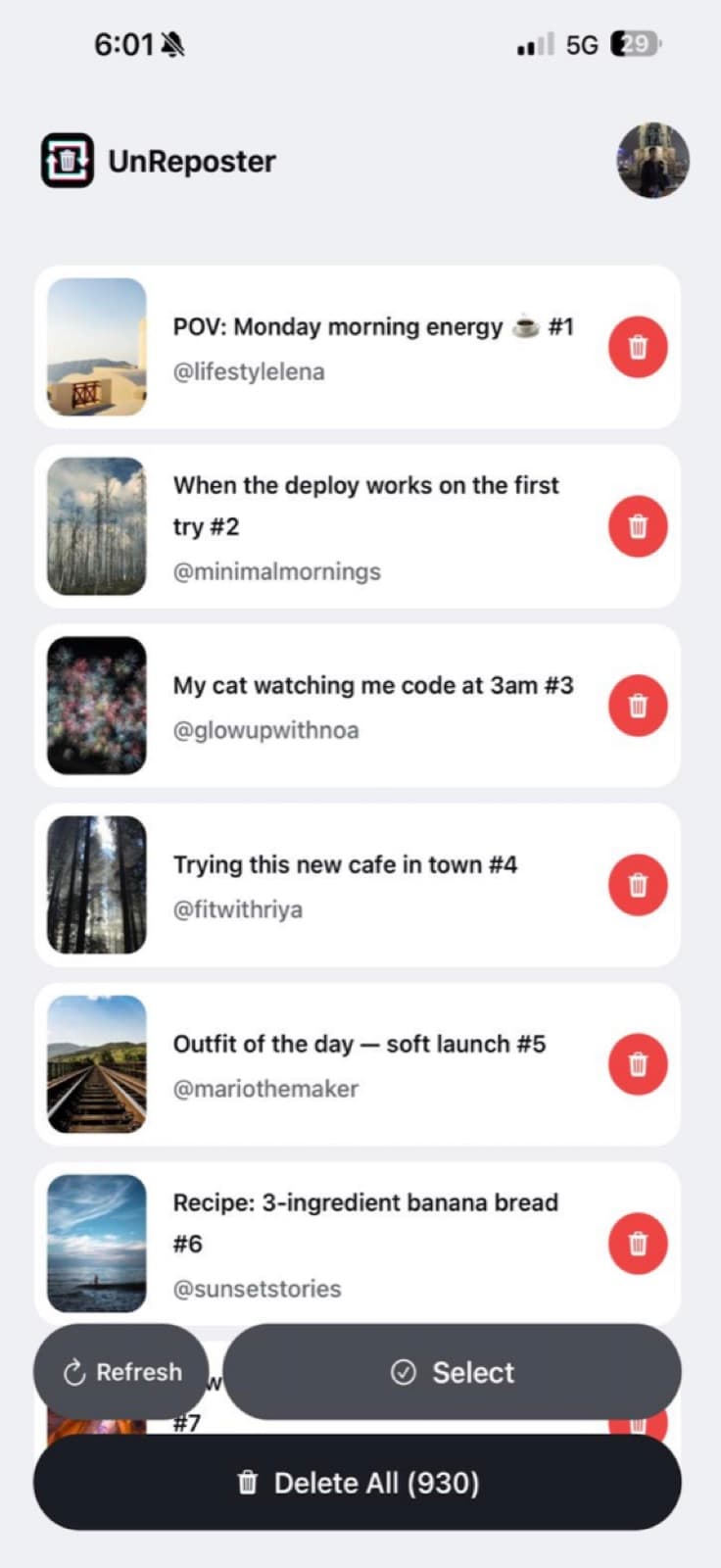
Sign in to TikTok on your own device and UnReposter pages through every repost you have ever made — including the ones far enough back that scrolling to them in TikTok is impractical.
Get the AppStep 2
Choose what goes
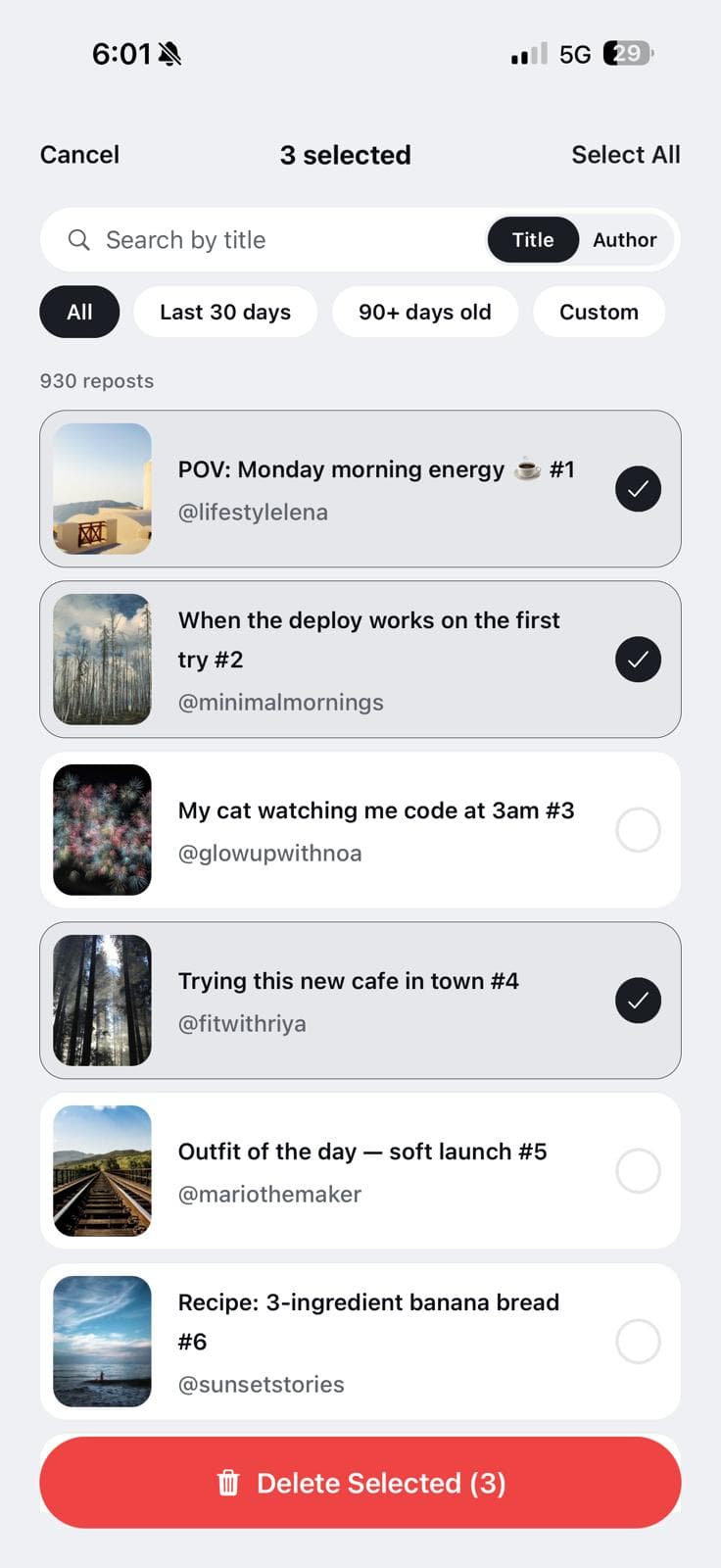
Search by caption or creator, filter by how old a repost is, and multi-select. Keeping the twelve you still like is a filter, not a memory test.
Get the AppStep 3
Clear the queue
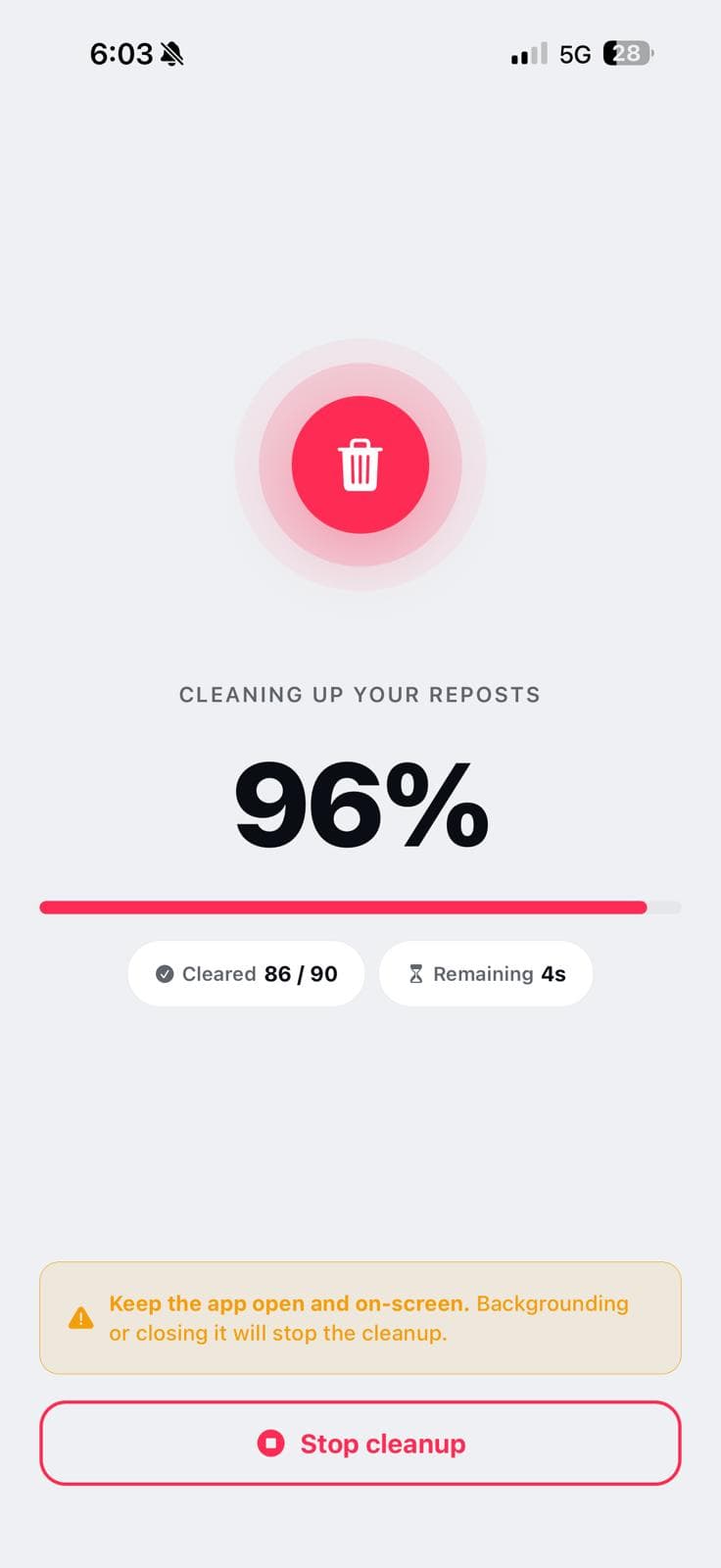
Removals run one after another at a pace TikTok accepts, with a live counter. You can put the phone down; the queue keeps going and stops cleanly if TikTok starts refusing.
Get the AppHighlights
Everything you need to unrepost
Every repost, in one readable list
Thumbnail, caption and original creator for each item, loaded from your account and held on your phone. It is the view TikTok never gives you.
Bulk removal with a real progress bar
Start it and walk away. The counter shows what is done, what is left, and where it stopped if TikTok pushed back.
Search and date filters
Find everything from one creator, or everything older than 90 days, and select just that.
Nothing leaves the device
Your session and your repost list are stored locally. Turn on airplane mode after the list loads — it is all still there, because it never went anywhere.
Why bother
What a clean repost tab gets you
Clear years of accidental reposts in one sitting instead of tapping through TikTok video by video.
Make your profile reflect what you actually post, not what your thumb hit in a share sheet.
Keep the reposts you meant — search, filters and multi-select mean nothing goes by accident.
Sign in on your own device, with no password handed to a website that promises to be careful with it.
Features
Take back control of your reposts
Your complete history
Every video you have reposted, fetched page by page — libraries with thousands of items included.
One-tap bulk delete
Remove the whole list in a single run instead of repeating the same four taps a few hundred times.
Search and date filters
Filter by caption, by creator, or by age — last 30 days, older than 90, or a range you pick.
On-device by design
Login happens on your phone and your repost data stays there. We never see your account.
Room for big cleanups
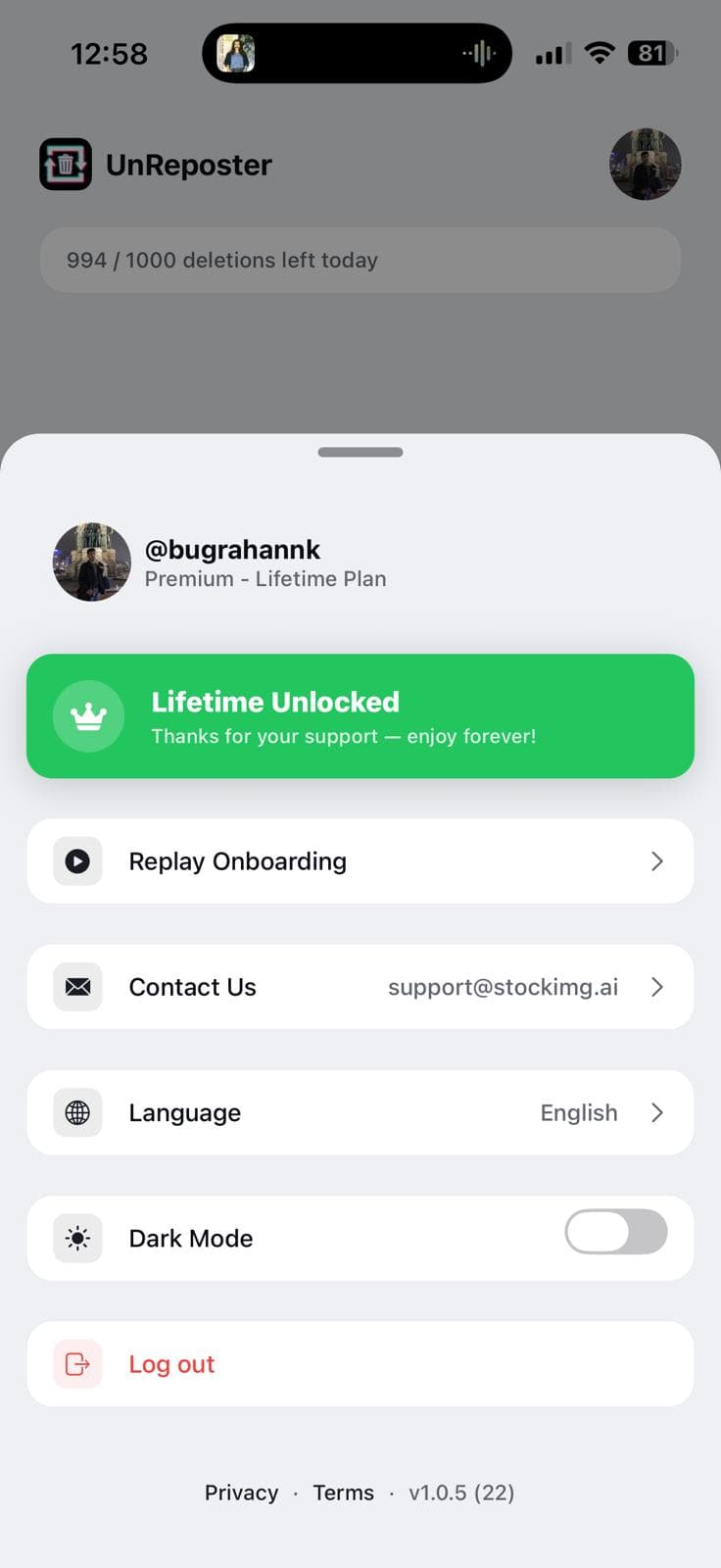
Premium lifts the in-app ceiling to 1,000 removals a day and drops the cooldown between them.
Paced, not reckless
Requests are spaced out and the queue halts on repeated rejections, so a run stops cleanly instead of failing silently.
Guides
How TikTok reposts actually work
Plain answers to the questions people ask before they clean up — written from the app's own experience of what TikTok does and does not allow.
Start here
How to delete TikTok reposts
The complete walkthrough: loading your history, removing one, some or all of your reposts, and the daily limit that stops big cleanups halfway.
How long does it take to delete all your TikTok reposts?
Around eight seconds per repost by hand — so 500 reposts is about an hour of solid tapping, and TikTok’s daily limit can stretch a big cleanup across several days. Here are the real numbers.
Where are my reposts on TikTok? Finding your full repost history
Your reposts live in a tab on your own profile, but the list is hard to scroll and easy to lose your place in. Here is how to find it, what to do when the tab is missing, and how to see the whole history at once.
TikTok repost will not delete? Every fix that actually works
Remove repost does nothing, the video comes back, or the button is missing entirely. Here is what each symptom means and the fix for it, including the rate limit that silently blocks bulk cleanups.
Who can see your TikTok reposts?
Reposts are public by default and surface in your followers' feeds with your name attached. Here is exactly who sees what, what privacy settings do and do not cover, and how to make them stop.
What is a repost on TikTok, and what happens when you use it?
A repost pushes someone else's video into your followers' feeds with your name on it. Here is exactly what it does, where it shows up, what it does not do, and how to undo it.
Pricing
Free to start, premium to go fast
Free
Free
forever
Enough to see everything and start clearing it.
- Fetch your full repost history
- Remove reposts one at a time
- Search and date filters
- Up to 100 removals per day
- Runs entirely on your device
Premium
$19.99
one-time, or $4.99/week
For a backlog that needs to go in one pass.
- Everything in Free
- Delete every repost in one run
- Up to 1,000 removals per day
- No cooldown between deletions
- Priority fetching and support
Full breakdown on the pricing page.
FAQ
Questions, answered
Does TikTok let you delete all reposts at once?
Is signing in safe?
Will it delete my own videos or my likes?
How many reposts can I remove per day?
Do the original creators find out?
Is UnReposter affiliated with TikTok?
More in the full FAQ.

Clear your reposts today
Load your full repost history, see what is actually there, and clear it in one pass. Removing them one at a time stays free, forever.